How AI Is Changing the Way We Create Google Slides Presentations
Description
Creating a Google Slides presentation used to mean starting with a blank deck, planning every slide, writing the copy, finding visuals, and fixing layouts by hand. AI is changing that process. Tools now help you turn prompts, documents, and existing slides into editable presentation content. Google has added Gemini features that can create slides, rewrite content, generate images, summarize decks, and use files from Google Drive as sources. Other AI tools can also work inside Google Slides, giving you more ways to build and revise a deck without leaving the editor. The key change is that Plus AI can handle more of the first draft while you remain responsible for the final message and facts.
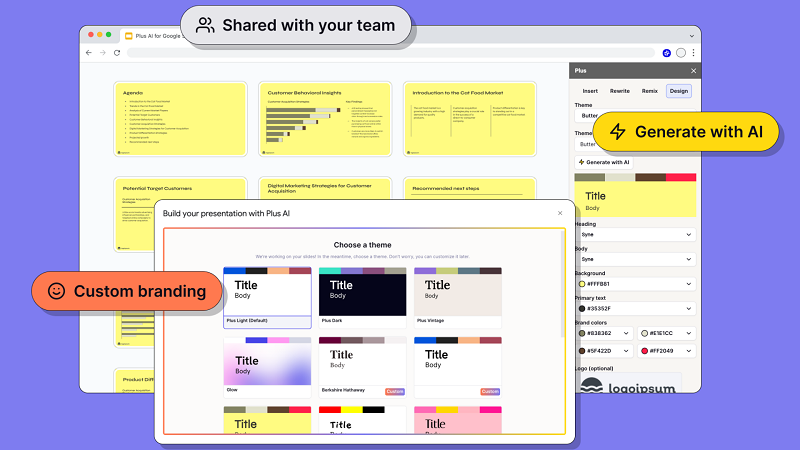
Top 10 Ways AI Is Transforming the Way We Create Google Slides Presentations
AI is changing presentations at several stages, from the first idea to the final edit. The biggest shift is that you can now start with information instead of an empty slide. Here are ten practical ways this is happening.
1. AI Can Start a Presentation From a Simple Prompt
A blank presentation can be difficult because you have to decide what belongs on the first slide before you know how the rest of the deck will flow. AI can take a short description of your topic, audience, and goal and turn it into a proposed presentation structure. Google says Gemini can create an editable presentation from a prompt and can ask follow-up questions before generating the deck.
Here is how this changes the starting point:
- You can describe the topic and intended audience in plain language.
- AI can suggest a slide-by-slide outline before you build the deck.
- You can review and change the structure before the presentation is generated.
This makes the first draft easier to shape. You still need to check whether the order supports your actual goal. A strong outline is useful, but it should not replace your judgment about what the audience needs to know.
2. AI Can Turn Existing Documents Into Slides
Many presentations begin with material that already exists somewhere else. You may have a report, meeting notes, PDF, article, or Word document but still need to convert that material into slides. Plus AI can turn source material into a presentation, while Google also allows Gemini to reference files from Drive when creating presentation content.
Here is where document-to-slide conversion can help:
- A PDF can become the basis for a slide deck.
- Text from a document can be organized into presentation sections.
- Meeting notes or other unstructured material can be condensed into slide content.
The important point is that conversion is not the same as fact-checking. AI may select information that is less useful for your audience or miss an important detail. Read the source material and compare it with the generated slides before presenting.
3. AI Can Help You Build Individual Slides
You do not always need an entire presentation. Sometimes one slide is missing, too crowded, or difficult to structure. Google’s Gemini tools can generate a new slide from a prompt and can use the current presentation theme when creating it.
Here are some ways you can use that ability:
- Ask for a slide explaining a specific concept.
- Request a different layout for information that feels crowded.
- Create an additional slide to fill a gap in an existing presentation.
This can make editing more targeted. Instead of rebuilding the whole deck, you can work on one weak section at a time. You should still check that the new slide matches the logic and level of detail used elsewhere in the presentation.
4. AI Can Rewrite Text Without Rebuilding the Slide
Slide writing has different needs from normal document writing. Long paragraphs often need to become shorter statements, while technical material may need simpler wording for a general audience. Plus AI provides tools for rewriting, condensing, expanding, changing tone, and correcting slide text.
Here is what AI-assisted rewriting can do:
- Shorten text that takes up too much space.
- Change wording for a different audience or tone.
- Translate or revise slide copy in another language.
This can save time during the editing stage. However, shortening text can also remove useful context. Read the revised copy carefully to make sure the meaning has not changed.
5. AI Can Generate and Adapt Visual Content
Visuals often take a large part of the presentation-building process. Finding an appropriate image, deciding where it belongs, and matching it to the slide can take time. Google says Gemini in Slides can generate images and can also help create slides with images and content.
Here are some ways AI can support visual work:
- Generate an image based on a written description.
- Suggest visual treatment for a slide.
- Create presentation content that combines text with imagery.
The result still needs a human check. An image may look appropriate but communicate the wrong idea. You should also check whether the visual is suitable for the audience, topic, and intended use.
6. AI Can Reformat Existing Slide Content
You may already have good information but poor slide structure. Moving text boxes, changing layouts, and testing different arrangements can take longer than writing the content itself. Plus AI offers remix and reformatting features that can turn existing slide content into different layouts.
Here is what this can mean in practice:
- A text-heavy slide can be reorganized into a different layout.
- Existing content can be presented in several visual formats.
- You can generate alternatives instead of manually rebuilding each version.
This makes layout testing faster. It also gives you more options when a slide feels difficult to read. Still, the best layout depends on what the audience needs to understand first, so do not choose a design simply because it looks attractive.
7. AI Can Summarize Long Presentations
Long decks can be difficult to review before a meeting. You may need to identify the main message, key decisions, or important sections without reading every line. Google lists presentation summarization as one of the tasks Gemini can perform in Slides.
Here is where summarization can be useful:
- Get a quick overview of a long presentation.
- Identify the main points before a meeting.
- Use a summary as a starting point for editing a large deck.
A summary should be treated as a review aid. It may leave out a small detail that matters to the presentation. For important business, financial, legal, or technical material, read the original slides before relying on the summary.
8. AI Can Use Your Existing Presentation Style
A presentation often needs to follow an existing visual system. That can include fonts, layouts, colors, image treatment, and the structure used by previous decks. Plus AI supports themes and can work with existing presentation formats, while Google’s current Gemini workflow can use another presentation as a style reference.
Here are some ways this can help:
- Use an existing presentation as a visual reference.
- Apply a selected theme to newly created content.
- Keep new slides closer to an established presentation format.
This matters when several people create presentations for the same team. Consistency becomes easier to maintain when the starting structure is already defined. You should still review fonts, spacing, logos, and other brand details before sharing the final deck.
9. AI Can Help Turn Unstructured Notes Into a Presentation
Useful presentation material does not always arrive in neat sections. It may come from call notes, transcripts, emails, research documents, or rough ideas. Plus AI supports converting unstructured material into presentation content, including notes and transcripts.
Here is how that can change the workflow:
- Meeting notes can become a starting point for a presentation.
- A long text source can be separated into presentation topics.
- Rough material can be reorganized into a clearer sequence.
This is especially useful at the first-draft stage. The AI can organize the material, but it cannot know every business priority or audience concern. Review the structure and remove anything that does not support the purpose of the deck.
10. AI Makes Presentation Editing More Iterative
AI changes presentation creation from a one-pass task into a series of quick revisions. Instead of making one draft and manually changing every slide, you can ask for specific changes and compare different versions. Google allows users to refine generated slides through prompts, while AI presentation tools can provide alternate layouts and rewritten versions.
Here is what an iterative workflow can look like:
- Generate a first version.
- Ask for shorter copy or a different structure.
- Review the result and request another change.
This can make editing feel closer to working with a draft partner. The final responsibility still stays with you. Check the facts, sources, visuals, numbers, and overall message before the presentation reaches your audience.
Conclusion
AI is changing Google Slides by moving some presentation work from manual creation to assisted drafting and editing. You can start with a prompt, reuse existing documents, create individual slides, rewrite content, test layouts, and summarize long decks. Google’s Gemini tools now support several of these tasks directly inside Slides, while third-party tools provide additional workflows for turning source material into editable presentations.
The practical lesson is simple: use AI to reduce repetitive work, not to remove your role from the process. You should still decide what the presentation needs to say, verify important information, review every generated slide, and make the final choices about what your audience sees. Tools such as Plus Ai can also fit into a broader document-to-presentation workflow, but the quality of the final deck will still depend on the quality of the source material and your review.
The future of presentation creation is therefore less about pressing one button to make a perfect deck. It is about using AI to move faster through drafts while keeping human judgment at the center of the presentation.