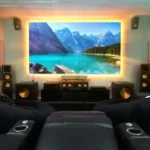
Designing a Home Theater Installation That Feels Like a Night at the Cinema
Description
A great home theater installation makes a house fall silent when the lights dim: the picture is immersive, dialog is clear, bass is tight, and the control system is invisible. This article walks through how to plan a theater that fits your budget and priorities, covering room geometry, speaker architecture, acoustic treatment, display selection, wiring discipline, lighting and seating, calibration, and practical maintenance. Whether you want a dedicated screening room or the best family-room movie experience, the right home theater installation balances technical rigor with everyday usability.
Begin by defining how the room will be used
The crucial first step in any home theater installation is picking an intent: dedicated dark-room cinema, hybrid family room, or flexible media/gaming space. A dedicated room allows aggressive acoustic treatment, projector scaling, and stadium seating; a hybrid space needs retractable screens or concealed speakers and softer acoustic solutions. Use-cases determine investments: a hardcore cinephile spends more on room treatment and calibration, while a family prioritizes comfy seating and TV performance in mixed light.
Room geometry, sightlines and seating layout
Room proportions govern modal behavior and sightlines. Aim for non-square rooms and avoid simple one-to-one proportions that reinforce standing waves. Seat placement is equally important: the primary seat should be centered on the screen and within the manufacturer’s recommended field of view (roughly 30–40 degrees for cinema). For multiple rows consider slight rake or elevated platforms. Position the center channel at ear height and avoid mounting speakers where furniture will block direct sound.
Acoustic treatment: treat the room before tuning speakers
Treating reflections and bass issues has a bigger perceptual impact than upgrading to more expensive speakers. First-reflection panels, ceiling clouds, and corner bass traps tame early reflections and modal peaks. Use absorption on early-reflection spots and diffusion or tuned panels on the rear wall to retain liveliness. Measure with a calibrated microphone after treatment and iterate — measurement-driven tuning is the hallmark of a professional home theater installation.
Speaker system choices and placement
Choose a speaker layout to match your immersive goals: 5.1.2 or 7.1.4 Dolby Atmos configurations are common, but the room should dictate channels rather than channel desire dictating room changes. Prioritize a strong center speaker for dialog clarity, and place subwoofers to smooth low-frequency response across the seating area (use multiple subs if possible). Ceiling or height channels for Atmos must be carefully placed to avoid localization — in-ceiling or upward-firing speakers each have trade-offs. Run dedicated speaker cables (in-wall rated) to each location during installation.
Display options: projector vs flat-panel
Projectors provide scale for a cinematic experience in dark rooms; panels (OLED/LED) excel in brighter spaces and simplify maintenance. For a projector-based home theater installation, choose a screen matched to the projector’s contrast and throw ratio; high-gain screens increase brightness but can narrow viewing angles. For flat panels, size the TV so the primary seating is immersive without causing eye fatigue. Budget for calibration: a professionally calibrated picture outperforms a larger, uncalibrated display.
Wiring, rack, and electrical discipline
A tidy, documented wiring plan differentiates a one-time installation from an ongoing headache. Run balanced audio for long runs, label cables at both ends, use a ventilated equipment rack for heat management, and separate power for high-current amplification. Include a structured wiring diagram with IP addresses and HDMI/serial mappings. Reserve spare conduit and patch panels for future expansion. Proper electrical planning — dedicated circuits for amplification and surge protection — prevents hum and nuisance trips.
Controls and the user experience
Simplicity is the goal. A home theater installation should offer a one-button “Movie” scene that sets lighting, shades, input, and audio presets. Provide a guest mode and a basic physical remote for non-technical users. Ensure fallback manual controls for critical functions so the room remains usable if the control system needs maintenance. Train users on basic operations and leave a laminated quick reference by the seat.
Measurement-driven calibration
Calibration turns hardware into performance. For audio, measure frequency and impulse response, align and delay speakers precisely, and set subwoofer crossover and phase for even coverage. For video, a colorist or calibrated professional sets white point, gamma, color primaries, and HDR tone mapping. Document pre- and post-calibration baselines in the handover package. Calibration is not a luxury — it is where the installation realizes its value.
Lighting, seating and finishing touches
Comfort and sightlines are key: choose seating with appropriate legroom, armrests, and staggered sightlines for multi-row rooms. Implement layered lighting — low-level path lights, dimmable overheads, and bias lighting behind displays. Integrate motorized shades for daylight control where needed. Finish materials should balance acoustics and aesthetics: fabric-wrapped panels, perforated screens, and subtle acoustic elements preserve the cinematic look.
Maintenance and long-term care
Schedule annual checks for projector lamps or laser modules, clean filters, verify speaker mounts, and re-run an abbreviated audio calibration if room contents change. Stage firmware updates for processors and avoid sweeping updates without validation. Keep the wiring documentation and calibration files readily available for future technicians.
Budget guidance: where to spend
Invest in room treatment, proper wiring, and calibration before expensive speakers or projectors. A moderate increase in room treatment and a professional calibration produces more perceptible improvement than doubling speaker spend. For displays, avoid the cheapest projector in a size class; small investments in a better light engine or contrast enhance enjoyment.